hello@boldit.studio
  • Home
  • Portfolio
  • About
  • FAQ
  • Blog
  • Support
  • Contacts
  • Get a quote
boldit.studio

Docs

  • Getting started
    • Introduction
    • Login & Logout
    • How to Create and Edit Users
    • How to Edit and Add New Posts
    • How to Add an Image to a Post
    • How to Add Media
    • How to Add Tags
    • How to Create Categories
    • How to Create Menus
    • How to Use Hyperlinks
    • Image Size and Format Guidelines
    • Media Library
    • SEO Dedicated fields
  • Working with DIVI
    • How to Add a Blurb Module
    • How to Add a Button Module
    • How to Add a Tabs Module
    • How to Add a Text Module
    • How to Add a Toggle Module
    • How to Add an Image to a Page
    • How to Edit and Add New Pages
    • How to Edit the Footer
    • Divi Design Settings
  • Working with WooCommerce
    • Product Categories, Tags and Attributes
    • How to Add a Simple Product
    • How to Add a Grouped Product
    • How to Add a Variable Product
    • How to Add a Virtual Product
    • How to Add a Downloadable Product
    • How to Add an External/Affiliate Product
    • How to Duplicate a Product
    • How to Delete a Product
    • How to Mark a Product as Featured
    • How to Filter or Sort Products
    • How to Allow Backorders

How to Edit the Footer

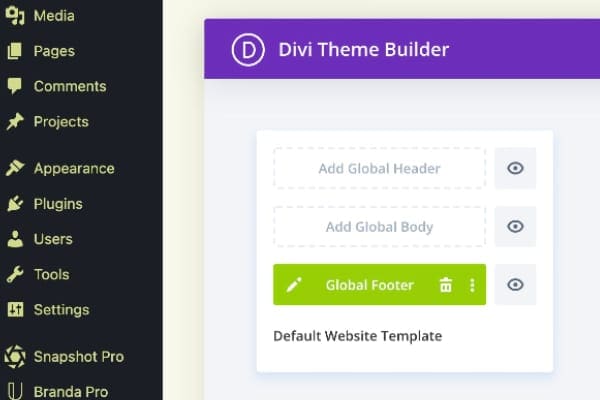
To access and edit the footer of your website, go to Dashboard/Divi/Theme builder. There you will see the green footer module, which after clicking on the pen icon on the left, can be edited like any other page, built with Divi.
Back to documentation
  • Follow
  • Follow
  • Follow
Get a quote
Get a quote

© 2021-26 boldit.studio • documentation • support • privacy policy • cookie policy